
Introduction
What is CRO? It is a question many website owners and marketers ask when they realize that getting traffic is only half the battle.
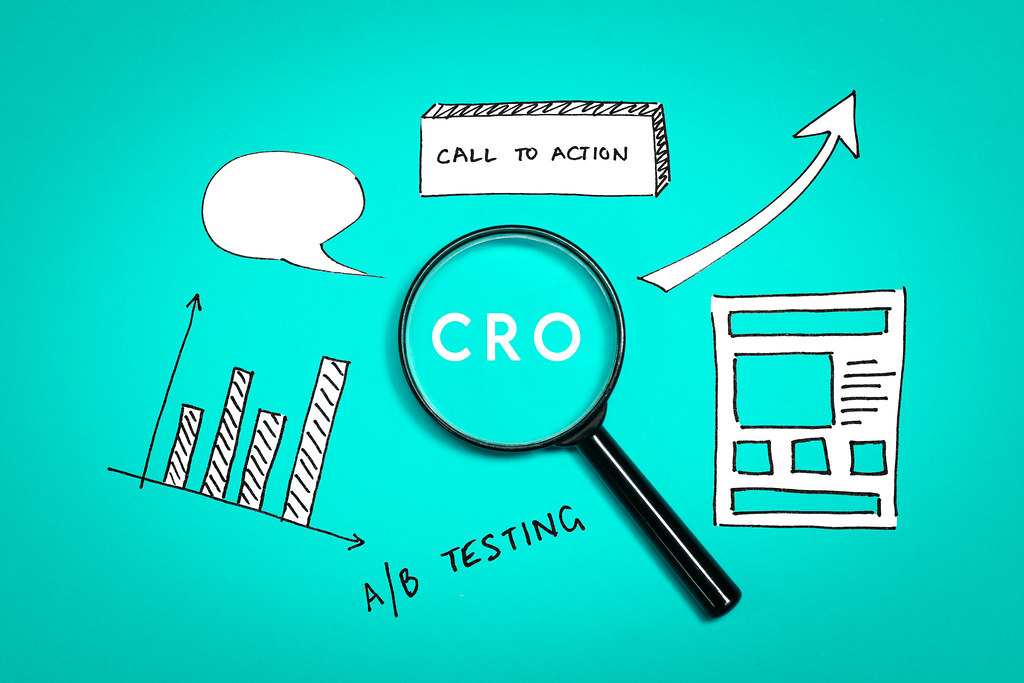
CRO stands for Conversion Rate Optimization. It is the process of improving your website so that more visitors take a useful action when they land on your page. That action could be reading your full article, clicking a link, filling a form, or signing up for something.
Most websites focus only on getting more traffic through SEO. They publish blogs, build backlinks, and work on keywords. But when visitors land on their pages, nothing happens. People leave within seconds without reading, clicking, or taking any action.
This is the gap that CRO fills. And when CRO is done right, it does not just improve your conversions. It directly improves your SEO rankings too. Google watches how people behave on your page. When users stay, scroll, and engage, Google sees your page as useful and ranks it higher.
In this blog, you will learn what CRO is, how it connects to SEO, and what simple steps you can take today to improve both.
What Is CRO and What Does It Mean for Your Website?
CRO, or Conversion Rate Optimization, is the process of improving your website so that more of your existing visitors take the action you want. Instead of focusing on getting more traffic, CRO focuses on making better use of the traffic you already have. It is about understanding why visitors leave without doing anything and fixing the experience so they stay and act.
What Counts as a Conversion on a Website?
A conversion is any action a visitor takes that matters to you. It depends on your goal.
- For a blog, a conversion could be someone reading the full article, scrolling to the bottom, or clicking a link to another page.
- For a business website, a conversion could be someone filling out a contact form, calling your number, or signing up for a free resource.
- For an online store, a conversion is usually a purchase.
In the context of SEO, the most important conversions are the ones that show Google your page is useful. These include reading the full page, scrolling deeply, clicking internal links, and spending a good amount of time on your content.
Why CRO Matters for SEO
Google does not just look at your keywords and backlinks to decide where your page should rank. It also looks at how real users behave when they visit your page. This is called user behavior data.
When users have a good experience on your page, they stay longer, scroll more, and click on other pages. This sends positive signals to Google. When they have a bad experience, they leave quickly. This sends negative signals.
CRO is the work you do to improve that experience. So when your CRO is good, your SEO gets better automatically because the signals Google receives from your page are stronger.
What Happens When Your CRO Is Poor
When your page has poor CRO, visitors land and leave within a few seconds. They do not scroll. They do not click. They go back to Google and click on a different result. Google sees this pattern across hundreds of visitors and concludes that your page is not the best answer for that search. Over time, your ranking drops.
You may have done everything right with keywords and backlinks, but if users keep leaving fast, your SEO results will still suffer.
What Happens When Your CRO Is Good
When your page has good CRO, visitors land and stay. They read the content, scroll to the bottom, click on links inside your page, and sometimes come back later. Google sees this and concludes that your page is giving users what they came for. It is seen as a trustworthy and useful result.
Over time, your ranking improves. Good CRO turns your existing traffic into a ranking advantage.
How Does CRO Directly Affect Your SEO Rankings?
There are six key signals that CRO directly improves. Each one is something Google monitors to understand the quality of your page.
Scroll Depth
Scroll depth means how far down a visitor scrolls on your page. If most visitors only read the first few lines and leave, Google sees that as a sign the page did not hold their interest.
When your content is written clearly, broken into short paragraphs, and easy to follow, people naturally scroll deeper. Deep scrolling tells Google that users are finding value in your content and are engaged enough to keep reading.
A simple way to improve scroll depth is to write short paragraphs, use clear subheadings, and make sure your most useful information is not buried at the bottom.
Time on Page
Time on page means how long a visitor stays on your page before leaving. A visitor who stays for three minutes is sending a much stronger signal than one who leaves in ten seconds.
Google uses this signal to understand whether your content is worth reading. If people spend time on your page, it is a sign that your content is detailed, clear, and useful.
You can improve time on page by writing content that actually answers the question fully, using examples to explain points, and making the page easy and enjoyable to read.
Bounce Rate
Bounce rate is the percentage of visitors who land on your page and leave without clicking anything or visiting another page on your site.
A high bounce rate on its own does not always mean something bad. But when it is combined with a very short time on page, it tells Google that visitors did not find what they were looking for.
CRO helps reduce bounce rate by making sure the page delivers on the promise of its title and meta description, loads fast, and has clear next steps for the visitor to take.
Engagement Rate
Engagement rate measures how many visitors actually interact with your page. This includes clicking links, copying text, tapping buttons, or scrolling through sections.
When users engage with your page, it shows Google that your content is actively useful, not just passively read. High engagement is one of the strongest positive signals your page can send.
You can improve engagement rate by adding internal links early in your content, placing clear call to action buttons at the right moments, and making sure your page works well on mobile.
Pogo-Sticking
Pogo-sticking happens when a user clicks on your page from Google, stays for only a second or two, then goes back to Google and clicks on a different result. This is one of the most damaging signals for SEO.
It tells Google very clearly that your page did not match what the user was looking for. If this happens repeatedly, Google will move your page down in rankings and show other results instead.
CRO reduces pogo-sticking by making sure the first few lines of your page immediately answer the question the user searched for. The user should know within seconds that they are in the right place.
Core Web Vitals
Core Web Vitals are a set of technical signals Google uses to measure the real-world experience of loading and using your page. They cover how fast your page loads, how quickly it becomes interactive, and how stable the layout is while loading.
If your page loads slowly, jumps around as it loads, or takes too long to respond to clicks, users get frustrated and leave. This directly hurts your CRO and your SEO at the same time.
Improving Core Web Vitals means compressing images, reducing unnecessary code, and making sure your page feels fast and stable on both mobile and desktop.
Not Sure Why Your Traffic Isn’t Converting?
Learn how to identify CRO bottlenecks, improve user behavior signals, and turn existing traffic into more leads and revenue.
How to Improve CRO to Boost Your SEO Step by Step
Improving CRO for SEO does not require expensive tools or a big team. It requires a clear process. Here are four steps you can follow.
Step 1: Find Out Where Users Are Dropping Off
Before you fix anything, you need to understand where visitors are leaving your page. Use Google Analytics or Microsoft Clarity to check which pages have a high bounce rate and low time on page. Look for pages where users are leaving early without scrolling or clicking.
These pages are your priority. They are the ones where poor CRO is actively hurting your SEO right now.
Step 2: Understand Why They Are Leaving
Once you know which pages have a problem, find out why. Ask yourself these questions.
Does the page load slowly on mobile? Does the content answer the search query clearly in the first few lines? Are the paragraphs too long and hard to read? Is there a clear next step for the visitor to take?
Tools like Microsoft Clarity show you heatmaps and session recordings for free. These show you exactly where users click and where they stop scrolling, which makes it much easier to understand the problem.
Step 3: Plan and Make the Fix
Based on what you find, make targeted improvements. You do not need to rewrite the whole page. Often, small changes make a big difference.
Rewrite the opening paragraph so it answers the question immediately. Break long paragraphs into shorter ones. Add a clear heading every few sections so the page is easy to scan. Add one or two internal links near the top of the page. Make sure the page title matches exactly what the content delivers.
Make one or two changes at a time so you can see clearly what is working.
Step 4: Test and Check Results
After making changes, wait two to four weeks and check your data again. Look at whether time on page has increased, bounce rate has dropped, and scroll depth has improved.
If the numbers are moving in the right direction, your CRO improvements are working and your SEO will follow. If not, go back to step two and look for a different reason users may be leaving.
CRO improvement is not a one-time task. It is an ongoing process of small improvements that add up over time.
Simple CRO Fixes That Directly Improve Your SEO
- Write short paragraphs of two to three lines so the page is easy to read on mobile.
- Answer the main question in the first three to four lines so users know immediately they are in the right place.
- Use clear subheadings every few paragraphs so visitors can scan the page and find what they need.
- Add at least two internal links near the top of the page so users have somewhere to go next.
- Make sure your page title and meta description match exactly what the content covers so you attract the right visitors.
- Check your page speed on mobile using Google PageSpeed Insights and fix the biggest issues first.
- Place your most important information near the top of the page, not buried at the bottom.
- Use simple, plain language so readers of all levels can understand your content without effort.
Real Examples of CRO Fixes That Improved SEO
Example 1: Moving the CTA Button Higher
A software company had a page with a free trial button placed at the very bottom. Most users never scrolled that far, so the button was barely seen. When they moved the button to just below the opening paragraph, sign-ups increased by 28 percent. More importantly, engagement rate and time on page both improved because users had a clear action to take early on. Google saw more engaged sessions and the page moved up in rankings within six weeks.
Example 2: Improving Mobile Spacing
A blog was getting good traffic but had a very low scroll depth of around 42 percent. On checking with a heatmap tool, it was found that most users were on mobile and the text blocks were too dense and hard to read on a small screen. After breaking content into shorter paragraphs and adding more spacing between sections, scroll depth jumped to 79 percent. This improvement in user behavior led to a noticeable increase in organic rankings over the following month.
Example 3: Adding Internal Links Early
A service page had a bounce rate of over 75 percent. The content was good but there were no internal links anywhere on the page. Users read the page and had nowhere to go next, so they left. After adding three internal links in the first half of the page pointing to related blogs and a contact page, bounce rate dropped to 44 percent. Engagement rate improved and the page began ranking for additional related keywords within two months.
Frequently Asked Questions
What is CRO?
CRO stands for Conversion Rate Optimization. It is the process of improving your website so that more visitors take a useful action when they land on your page. In the context of SEO, CRO focuses on improving the user behavior signals that Google uses to judge the quality and usefulness of your content.
Does CRO help SEO rankings directly?
Yes. When CRO improves user behavior on your pages, it sends stronger positive signals to Google. Lower bounce rates, higher scroll depth, more time on page, and better engagement all tell Google your content is worth ranking higher.
How do I start CRO for my website?
Start by identifying which pages have high bounce rates and low time on page using Google Analytics. Then use a free tool like Microsoft Clarity to see where users are dropping off. Make small targeted improvements like rewriting your opening paragraph, shortening your paragraphs, or adding internal links. Check your data after two to four weeks.
What is pogo-sticking and why is it bad for SEO?
Pogo-sticking happens when a user clicks your page from Google, stays for just a second or two, and goes back to Google to click a different result. It is a strong negative signal that tells Google your page did not match what the user wanted. If it happens repeatedly, your rankings will drop.
How long does CRO take to improve SEO results?
Most CRO improvements start showing results in four to eight weeks, depending on how much traffic your page receives. Pages with higher traffic show results faster because Google collects behavior data more quickly. Small but consistent improvements compound over time and lead to lasting ranking gains.
What is the most important CRO fix for SEO?
The single most impactful fix is making sure your opening paragraph answers the search query immediately and clearly. This reduces pogo-sticking, improves time on page, and tells both the user and Google that your page is the right answer. Everything else builds on top of this.
Conclusion
CRO and SEO are not separate jobs. They are two sides of the same coin.
What is CRO at its core? It is the work you do to make sure visitors who land on your page have a good enough experience that Google keeps sending more. When users stay, scroll, and engage, your rankings improve naturally. When they leave quickly, even the best SEO work will struggle to hold its ground.
The good news is that most CRO improvements for SEO are simple. Start by checking which pages have the highest bounce rates, rewrite your opening paragraphs to answer questions immediately, shorten your content into easy to read sections, and add internal links so visitors have somewhere to go next.
Do these things consistently and your pages will not just rank. They will hold their rankings because real users are telling Google, through their behavior, that your content deserves to be there.